


The Best Patient Scheduling Software: 2026 Comparison Guide
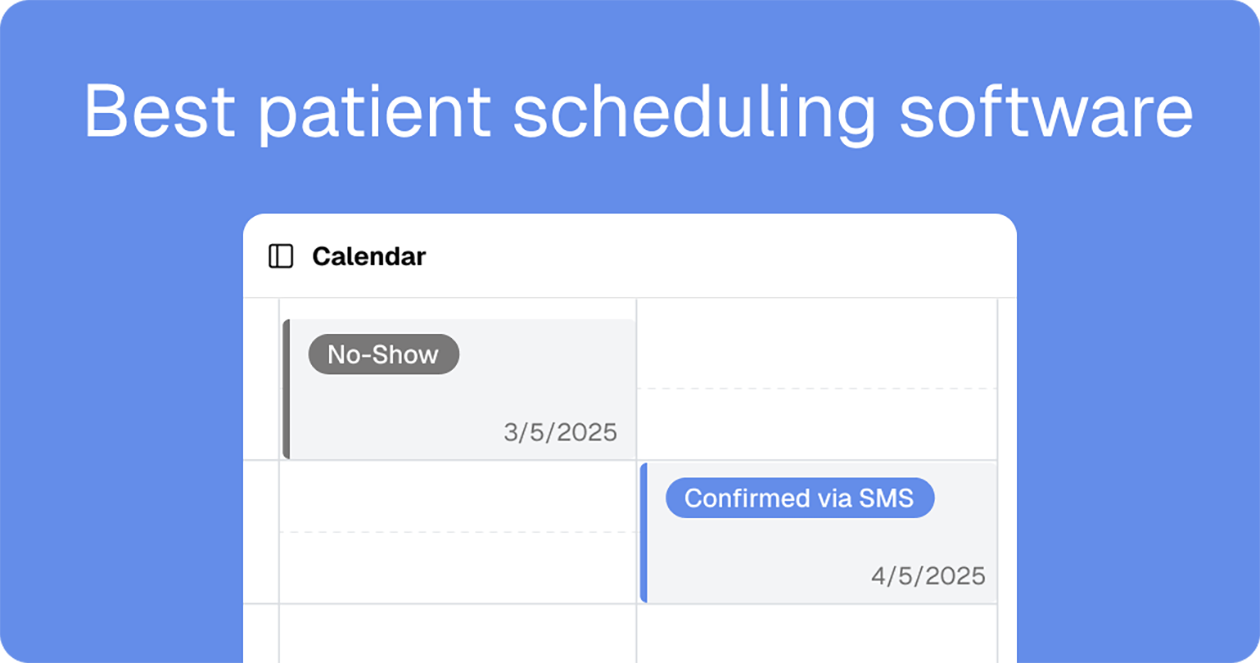
Scheduling is where care actually starts. Before a patient ever meets a provider, they have to find a time, understand what the visit is for, and pick a time slot on their calendar. When that step is clunky, everything downstream gets harder. No-shows climb, staff spend their mornings playing phone tag, and appointment information ends up siloed in the scheduling tool.
Patient scheduling software is supposed to solve that. The complication is that many of the tools healthcare teams reach for weren't built for healthcare at all. They were built for sales calls and consultations, then adopted by clinics because they're quick to set up and the booking page looks good.
That works right up until real clinical requirements enter the picture. A patient in Ohio can only be seen by a provider licensed in Ohio, and that constraint gets more complicated every time you add a state. A patient using insurance needs a provider who's in network with their plan, or the visit becomes a surprise bill. Some visit types require a specific credential, a supervising clinician, or a particular site of care. And protected health information moves through every one of those bookings. A general scheduling link can’t account for all of those nuances, so the rules end up living in a spreadsheet or somebody's head.
This guide compares four patient appointment scheduling tools that digital health teams evaluate most often: Tellescope Scheduler, Calendly, Acuity Scheduling, and Cal.com. We'll be direct about where each one fits, where clinical workflows get complicated, and what the bill actually looks like once your whole team is on it.
What is patient scheduling software?
Quick answer: Patient scheduling software lets patients book, reschedule, and cancel healthcare appointments online while syncing provider availability, sending automated reminders, and keeping patient information protected under a signed Business Associate Agreement.
At the highest level, a patient scheduling system does three things: it shows real-time availability, it lets a patient claim a slot on their own without having to contact anyone (so self-service), and it makes sure the right people know about new appointments.
Healthcare adds a fourth requirement that general scheduling tools weren't designed for: protecting the information that moves through the booking process. This matters more than most teams expect. Protected health information isn't only what a patient types into a symptoms field. A booking record that ties a named person to a specific provider, a specialty, or a visit type can be PHI on its own, even if nobody ever mentions a diagnosis.
So a tool built for patient appointment scheduling needs, at minimum:
- encryption in transit and at rest
- access controls like multi-factor authentication and role-based permissions
- audit logging of who viewed and changed what
- a signed Business Associate Agreement (BAA) from the vendor
One nuance worth naming: no scheduling tool makes you HIPAA compliant on its own. A good vendor gives you HIPAA-compliant infrastructure and a BAA. Compliance still depends on how your team configures the tool, what you ask for on the booking page, and what shows up in reminder messages.
What to look for in patient appointment scheduling software
Quick answer: Look for a signed BAA and HIPAA-compliant infrastructure, true patient self-scheduling, automated reminders across SMS and email, multi-provider and multi-location rules, EHR sync, and a pricing model that fits your needs.
Most buyer guides stop at "make sure it's HIPAA compliant." But that’s only step number one. Here's what actually separates the options once compliance is covered.
1. A signed BAA, not just good security
Plenty of scheduling tools have SOC 2 Type II reports, strong encryption, and SSO. None of that substitutes for a BAA. If a vendor won't sign one, or its terms of service prohibit PHI, then patient scheduling is off the table regardless of how secure the platform is. Ask which plan tier the BAA lives on and whether it costs extra, because that answer changes the price more than any feature does.
2. Real self-scheduling for patients
Patient self-scheduling software should let someone book, reschedule, and cancel on their own, from live availability, at 11pm on a Sunday. If a "cancel" still means calling the front desk, you haven't resolved the phone tag problem. Look at what happens after a cancellation too, since a redirect straight to a rebooking page keeps patients in care instead of dropping them.
3. Automated reminders on the channels patients actually use
Reminders are the single highest-leverage feature in any patient scheduling system. A randomized controlled trial at a pediatric practice found that adding a text message reminder on top of the standard voice reminder cut the no-show rate from 38.1% to 23.5%, a difference of roughly 15 percentage points. Check whether SMS is included or an add-on, whether you can set reminders per visit type, and whether reminder content is configurable so PHI doesn't end up in a preview notification on a phone’s lock screen.
4. Multi-provider and multi-location logic
Care doesn’t live in one single calendar. You need per-provider availability, rules that differ by location or state, visit-type-specific booking flows, and time zone handling that doesn't create 4am appointments by accident. The harder question is how the tool filters providers before a patient ever sees a time slot. If licensure, credentialing, or payer network status determine who can see a given patient, ask whether that filtering happens in the booking flow or whether your team is checking it manually after the fact. Also ask about calendar limits, since several tools cap how many provider calendars you can run before you need to upgrade your plan or contact sales.
5. EHR integration (if you use one)
When an appointment is booked in one system and patient information lives in another, someone has to manually re-enter new data in the EHR. Native EHR integrations remove that step and keep a single source of truth. If a vendor says it "integrates with EHRs," ask which ones specifically and whether the sync is bidirectional.
6. What happens after the booking
This is the part most scheduling tools ignore. A booked appointment should be able to trigger the next step: an intake form, a care plan, a product or program enrollment, a task for a care coordinator, etc. If the booking is a dead end, your team has to initiate the follow-up by hand every time.
7. Pricing model and setup effort
Scheduling tools are often priced one of three ways: as a per-seat (or per-user) model, per-calendar, or a flat fee plus usage cost. Each model has their pros and cons, so choosing the right pricing structure depends on your practice needs. We’ll dive more into that in the next section. Also, ask what implementation looks like, if you need an engineer to configure the platform workflows, and whether the tool can scale with you as your practice and workflow needs grow.
How pricing usually works for patient scheduling software
Quick answer: Patient scheduling software is priced three ways: per seat, where the bill grows with user headcount; per calendar, where you pay by how many provider or location calendars you run; or a flat platform fee plus usage, where the bill tracks patient volume instead of team size. In healthcare, the HIPAA BAA is often gated behind a higher tier, which matters more than the advertised price.
Per seat is the most common model. You pay a set amount for every user on the account, every month. It's predictable per person, and it's easy to understand. Something worth understanding is that scheduling is rarely a solo activity. Everyone who needs to see or manage the calendar needs a seat, so a ten-person care team pays ten times the advertised price.
Per calendar works differently in a way that suits some practices well. Instead of paying for people, you pay for calendars, meaning one bookable schedule per provider, room, or location. Your front desk staff, billing coordinator, and practice manager can all log in and manage the schedule without changing your bill, because none of them have their own bookable calendar.
That distinction matters more than it sounds. A five-provider clinic with four admin staff pays for five calendars under a per-calendar model, and nine seats under a per-seat model. The flip side is that growth in provider count, not team count, is what pushes you up a tier, and those jumps can be steep.
Flat platform fee plus usage works differently. Users are unlimited, so team size doesn't change the base price, and you pay your communications provider's published rates for the texts, calls, and video you actually send. Your cost tracks patient volume rather than headcount. The tradeoff is that a busy month costs more than a quiet one, though the rates are public so it's easy to anticipate your bill in advance.
As of 2026, Twilio's rates are low and billed by the message or by the minute, roughly:
- Texting: about $0.0083 to send or receive each message, so 1,000 texts in a month runs around $8.
- Voice: about $0.014 per minute outbound and $0.0085 per minute inbound, so 300 minutes each way is around $7 per month.
- Video: about $1 per participant-hour, so one hundred 30-minute visits is around $100 per month.
An important item people miss is the BAA. Acuity puts its BAA on the Premium plan only. Cal.com includes a BAA on Enterprise and on Organizations at 15 or more users, and charges $300 per month for it otherwise. Calendly doesn't offer one at all. That single detail can move a "cheap" scheduling tool into a completely different price bracket, or off your list entirely.
Two more costs to model before you sign: payment processing fees, which run about 2.9% plus $0.30 per transaction through Stripe, Square, or PayPal on top of whatever the platform charges, and any onboarding or implementation fees. Ask directly if usage caps exist and what overages cost.
The patient scheduling tools at a glance
Quick answer: Tellescope Scheduler is the only healthcare-native option with EHR sync and unlimited users; Acuity offers a BAA at a low flat price for small practices; Cal.com suits engineering-led teams willing to pay for the BAA; Calendly has no BAA and shouldn't be used for patient scheduling.
Here's the high level overview of the most popular scheduling tools for healthcare before we break them down tool by tool.
Tellescope Scheduler
Quick answer: Tellescope Scheduler is HIPAA-compliant patient scheduling software built for digital health, with branded self-service booking pages, automated reminders, video visits, native EHR sync, and bookings that trigger the next step in care.
Tellescope Scheduler is the scheduling product from Tellescope's patient engagement platform, available on its own. It runs on HIPAA-compliant infrastructure with a signed BAA.
The difference shows up in what a booking can do. Event templates connect to products and care plans, so scheduling a visit can kick off the next step automatically rather than creating a task someone has to remember.
WHAT'S INCLUDED
STANDOUT FEATURES
- Unlimited users on both tiers: Add your front desk, coordinators, nurses, and providers without the bill moving. Team size and cost are decoupled, which is unusual in this category.
- Bookings that start the next step: A booking can trigger a care plan or a product, so scheduling moves care forward instead of generating cleanup work for a coordinator.
- Built for multi-provider, multi-location care: Location-based rules, per-provider availability, and multiple time zones for staff and locations are built in from the start.
- A real upgrade path: Move to Enterprise for CRM, a full form builder, a white-labeled patient portal, workflow automation, remote patient monitoring, and more without re-platforming.
THINGS TO CONSIDER
- SMS reminders cost extra on Scheduler: Email reminders are included on the Scheduler plan, but text, call, and video reminders are a paid add-on. If SMS reminders are central to your no-show strategy, price that in.
- Six native EHR integrations: Healthie, Canvas Medical, athenahealth, Medplum, Elation, and DrChrono are the native EHR integrations. If you require an EHR and you use a different system, you'll be working through the API or the broader Tellescope platform.
- Calendar cap on the Scheduler tier: Scheduler supports up to 12 calendars. Large provider networks will need Enterprise, which removes the cap.
- Intake forms, not the full form builder: Scheduler includes custom intake forms. The full form builder lives on Enterprise, so complex conditional intake belongs on the higher tier.
Best for: virtual care startups, direct-to-consumer health brands, and multi-state digital health organizations that want compliant patient scheduling connected to the patient record, with room to grow into a full engagement platform.
Calendly
Quick answer: Calendly is the most widely used general-purpose scheduling tool, but it doesn't sign a Business Associate Agreement and its customer terms prohibit submitting protected health information, so it isn't suitable for patient scheduling.
Calendly is polished, fast to adopt, and integrates with almost everything. For booking a sales call or an interview, it's hard to beat. For booking patients, there's a hard stop that has nothing to do with features.
Calendly's customer terms prohibit customers from submitting protected health information, and the company does not currently offer a BAA on any plan, including Enterprise. Calendly's own guidance tells users in clinical contexts to keep personal and medical details out of booking questions. Encryption, SOC 2 Type II, and ISO 27001 are all real, however, none of them change the BAA requirement.
WHAT'S INCLUDED
STANDOUT FEATURES
- Ease of adoption: Staff pick it up in minutes, and the booking experience is genuinely good.
- A usable free tier: Useful for a single recurring meeting type, which is more than most competitors offer at no cost.
- Routing and team distribution: Round robin, collective events, and lead qualification forms are strong if you're distributing bookings across a group.
THINGS TO CONSIDER
- No BAA on any plan: This is the deciding factor. Without a BAA, and with terms that prohibit PHI, patient scheduling in Calendly leaves you with no contractual protection if a patient types something clinical into a notes field.
- The booking itself can be PHI: A booking that links a named patient to a specific provider or specialty can be PHI even with no custom questions at all. Adding a disclaimer to your booking page doesn't change the vendor's terms.
- No EHR integration: Appointments won't sync to the chart, so someone has to manually re-enter them.
Best for: the non-clinical scheduling that still happens inside a healthcare organization. Recruiting interviews, vendor meetings, partnership calls, and investor conversations are all fair game. Patient appointments are not.
Acuity Scheduling
Quick answer: Acuity Scheduling is a strong booking, forms, and payments tool for small practices, and it signs a BAA, but only on its Premium plan. Enabling HIPAA mode also switches off several features, including Outlook and iCloud calendar sync.
Acuity Scheduling, owned by Squarespace, is built for appointment-based service businesses. It handles client self-scheduling, intake forms, payments, packages, memberships, and class scheduling, and it does all of that well at a low absolute price.
For healthcare, the important detail is that HIPAA support isn't a setting you activate on any plan. You need the Premium plan, and then you enter into a BAA with Squarespace from inside your account settings. Acuity is also clear that a third-party security consultant validated the product against the HIPAA Security Rule, and equally clear that enabling those features doesn't make your organization compliant on its own.
WHAT'S INCLUDED
STANDOUT FEATURES
- A BAA at a low flat price: Premium is $49 per month billed annually (or $61 monthly) with a BAA included, which is the lowest absolute entry point for compliant scheduling on this list.
- Calendar-based pricing, not per seat: You're paying for calendars, not people, so adding admin staff who manage the schedule doesn't change your bill.
- Payments and packages built in: Packages, memberships, subscriptions, and gift certificates are built in, which benefits cash-pay and wellness models.
THINGS TO CONSIDER
- HIPAA mode turns features off: Enabling HIPAA on an Acuity account disables calendar syncing with Office 365, Outlook.com, Live.com, Exchange, and iCloud, turns off Reserve with Google, disables the invoices feature, and blocks the Squarespace Email Campaigns integration. If your providers live in Outlook, that's a significant workflow change.
- No EHR integration: Appointments won't flow into the patient record, so you're either re-entering data or building something custom on the Premium API.
- Default notification settings carry PHI: Notifications include client names, appointment types, and times by default, and confirmation emails attach an ICS file containing the same. You're responsible for changing those settings, and disabling the ICS attachment requires contacting support.
- Calendar ceiling: Premium tops out at 36 calendars. Beyond that you're in an Enterprise conversation.
- Scheduling is where it stops: There's no CRM, patient portal, care plan logic, or remote monitoring to grow into. Acuity is a booking tool by design.
Best for: small independent practices, solo clinicians, and cash-pay wellness businesses that want compliant online booking with payments and intake, and don't need the appointment to connect to anything else.
Cal.com
Quick answer: Cal.com is an open-source scheduling platform that can be self-hosted or bought as a service. A BAA comes with Enterprise and with Organizations at 15 or more users, and costs an extra $300 per month otherwise, which reshapes the bills for small teams.
Cal.com is the developer-first option in this group. The whole platform is open source, so you can self-host it, white-label it, and connect it to your stack through an extensive API and webhook system. For a team that wants to own its scheduling infrastructure rather than rent it, that's a genuinely different proposition.
Cal.com does sign BAAs, and it holds SOC 2 Type II and ISO 27001. The thing to understand is where the BAA sits. It's included on Enterprise and on the Organizations plan at 15 or more users. Below that, on Teams or a smaller Organizations account, it's a $300 per month add-on.
WHAT'S INCLUDED
STANDOUT FEATURES
- Open source and self-hostable: You can run the same software on your own infrastructure, which matters to teams with strict data residency or control requirements.
- Genuinely developer-first: The platform and API plans are built for embedding scheduling inside your own product.
- A capable free tier: No booking caps and full core scheduling for a single user, which is unusually generous.
- Cal Video included: Video is part of the platform rather than a separate license and a separate BAA.
THINGS TO CONSIDER
- The BAA math punishes small teams: A six-person practice on Organizations pays $168 per month for seats plus $300 for the BAA, so compliance costs nearly twice the software. The economics only work once you cross 15 users.
- It assumes engineering capacity: The flexibility that makes Cal.com powerful also means someone has to configure and maintain it. Self-hosting in particular moves the security and compliance burden onto your team.
- Scheduling only: There's no CRM, patient portal, care plan logic, or remote monitoring. You'd be building the healthcare layer yourself or buying it elsewhere.
- Not designed around care delivery: It's built for organizations booking meetings, so patient-specific workflows like visit-type care plans or intake tied to clinical programs aren't native concepts.
Best for: engineering-led health tech teams that want to embed scheduling in their own product, self-host for control, or standardize a large organization on open-source infrastructure.
What is the best software for scheduling patients?
Quick answer: The best software for scheduling patients is a tool that signs a BAA, offers true patient self-scheduling, sends automated reminders, syncs with your EHR if you use one, and connects each booking to the next step in care. For digital health teams, Tellescope Scheduler meets all five. Acuity Premium fits small independent practices, Cal.com fits engineering-led teams at scale, and Calendly should be kept out of patient scheduling entirely.
There isn't one universal answer, but there is a clear way to narrow it down. Start by eliminating anything that can't sign a BAA, which removes Calendly immediately. Then compare what's left on three things: what the compliant tier actually costs for your team size, whether the appointment reaches your EHR, and whether the booking can trigger anything afterward.
Pricing alone doesn't decide it. Acuity is the cheapest compliant option on paper, and for a solo therapist or a two-provider cash-pay clinic it may genuinely be the right call. But the moment you need appointments in the chart, care plans triggered from a booking, or more than 36 provider calendars, the savings stop mattering.
For scaling digital health companies and virtual-first practices, the strongest fit is a purpose-built healthcare scheduling tool where compliance is standard rather than a tier, users are unlimited, and the booking is automatically connected to patient workflows. That's the case Tellescope Scheduler is built to make: unlimited users on both plans, a BAA included, native EHR sync, and event templates that trigger care plans and products when a patient books.
If you're an engineering-led company embedding scheduling in your own product, and you're past 15 users, Cal.com is worth a look. If you're a small practice that just needs a compliant booking page with payments, Acuity Premium does the job. And if the scheduling you're doing has nothing to do with patients, Calendly is still excellent at that.
The bottom line when choosing patient scheduling software
Start from your care model rather than a feature list:
- Digital health startup or virtual-first practice: You need compliance as a baseline, EHR sync (if you use one), and a booking that starts the next step in care. Tellescope Scheduler is built for that.
- Small independent or cash-pay practice: You want a compliant booking page with payments and intake at the lowest price. Acuity Premium does it, as long as you can live without EHR and Outlook calendar syncing.
- Engineering-led team past 15 users: You want to self-host or embed scheduling in your own product, and you have the headcount to make the BAA math work. Cal.com is the pick.
- Interviews, vendor calls, and partnership meetings: Calendly is excellent, and it stays away from patient data.
Two things to consider before you commit. First, pricing model. Decide whether per-seat, per-calendar, or flat-plus-usage fits how you're growing, and model both against where your team size and patient volume are headed in a year.
Second, room to grow. A tool that only handles booking can be the right call today, but if you expect to add intake, a patient portal, CRM, or remote monitoring, it's cheaper and far less disruptive to pick something you can grow into than to migrate later.
For digital health teams that want compliant patient scheduling connected to patient workflows, with automated reminders, video visits, and a path to a full engagement platform, Tellescope Scheduler is built for exactly that. You can launch branded booking pages, onboard your whole team, and start accepting bookings the same day.
Ready to see it for yourself? Learn more about Tellescope Scheduler or book a demo with our team.

Learn more about Tellescope
Be up-to-date with the latest digital health resources