

How to Track and Document CHI and PIN Services Without Slowing Down Your Care Team
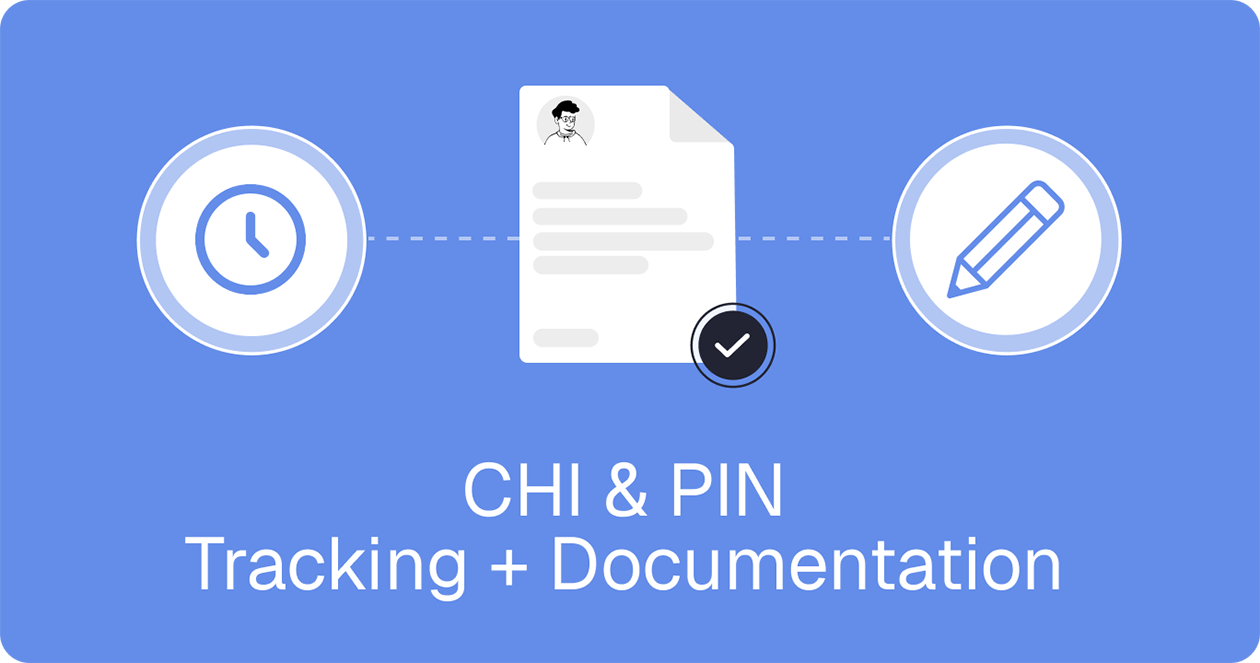
Community Health Integration (CHI) and Principal Illness Navigation (PIN) give care teams a meaningful way to support patients between visits, not just during them. But for organizations billing under these services, the opportunity is only as strong as the workflow behind it.
CHI and PIN are Medicare care management services with specific requirements around initiating visits, patient consent, monthly service delivery, and documentation. If your team is still piecing together time logs, notes, approvals, and billing handoffs across multiple tools, the operational burden can quickly outweigh the reimbursement upside.
To make these programs sustainable, teams need a repeatable system for capturing time as work happens, documenting what was done, tying it to the right patient and program, and making sure nothing billable slips through the cracks before the month closes.
For teams delivering navigation, social care coordination, and ongoing support for high-risk populations, this blog covers how to optimize those processes and keep your care team running efficiently.
What CHI and PIN services actually require
Quick Answer: CHI and PIN are monthly, time-based Medicare services with specific requirements around patient eligibility, billing codes, initiating visits, and documented consent.
At a high level, CHI and PIN are both Medicare care management services but they’re designed for different patient needs.
Community Health Integration (CHI) supports patients when non-medical factors are affecting their health or ability to follow through on care. CHI includes services like care coordination, health education, patient self-advocacy training, health system navigation, and social and emotional support.
Principal Illness Navigation (PIN) is designed for patients with one serious, high-risk condition who need help understanding that diagnosis and navigating the care system around it. Example diagnoses include cancer, substance use disorder, COPD, CHF, dementia, HIV/AIDS, and severe mental illness.
What both services have in common is that they’re structured around monthly, time-based support - they’re not one-time interactions. They depend on a repeatable workflow that helps teams capture time, document what happened, and keep billing on track throughout the month.
The main billing codes are:
- CHI: G0019 for the first 60 minutes per calendar month, and G0022 for each additional 30 minutes
- PIN: G0023 for the first 60 minutes per calendar month, and G0024 for each additional 30 minutes
Both services also require an initiating visit before monthly billing begins, along with documented patient consent in the medical record.
Why tracking CHI and PIN work is harder than it sounds
Quick Answer: Tracking CHI and PIN gets complicated when time, notes, and approvals are spread across different systems and teams lack visibility into billing progress before month end.
On paper, the requirements seem straightforward. In practice, the workflow can get messy fast.
Time is often logged after the fact instead of during the work itself. Notes may live in separate systems. Some interactions are documented clearly, while others are buried in messages, spreadsheets, or disconnected call logs. For teams supporting patients across an entire month, that creates a real visibility problem.
The monthly structure adds even more pressure. Because CHI and PIN are time-based services, teams need to know whether a patient is actually progressing toward the required threshold before the month closes. If that visibility comes too late, staff may realize a patient was close to billable time only after the opportunity has already been missed.
The issue is not just whether the work happened. It’s whether the work was captured in a way that’s organized, reviewable, and ready to move toward billing.
What needs to be documented for CHI and PIN services
Quick Answer: Core documentation teams need to capture includes the initiating visit, patient consent, service context, time spent, and activities performed.
At a practical level, documentation should show that the service was appropriate, that it was delivered, and that it’s ready for review. That usually means keeping a clear record of:
- the initiating visit
- patient consent
- the clinical or social context that supports the service
- the amount of time spent
- the activities performed during the month
Just as important, teams should be able to quickly answer a few operational questions at any point in the billing period:
- Has consent been captured?
- Is the work tied to the right program?
- Has time been recorded?
- Is the documentation complete enough for physician review?
- Is the patient on track to meet the threshold?
When those answers are easy to find, documentation becomes easier to manage and less likely to create end-of-month cleanup.
A simpler workflow for tracking CHI and PIN services
Quick Answer: The easiest way to manage CHI and PIN successfully is to build a workflow that makes time tracking, documentation, approvals, and billing easier to manage from the start.
The organizations that succeed with CHI and PIN tend to treat them as operational workflows. They build a process that helps staff capture work as it happens, tie it to the right program, and move it cleanly through review and billing.
A strong workflow usually includes these six key steps.
1. Start with the right program and billing code setup
The first step is creating a structure that matches how your team actually delivers services. Programs should be tied to the correct billing codes, with the initial code and any add-on codes clearly defined from the start.
That matters because time shouldn't be logged in a vacuum - it should be connected to the right reimbursement path, with clear monthly thresholds attached to the program.
2. Capture time automatically whenever work happens
One of the biggest workflow problems in navigation and care coordination is asking staff to remember every billable interaction after the fact. A better model is to capture time during the work itself.
In care management tools like Tellescope, time tracking can be triggered automatically when certain patient-related actions occur, such as:
- opening a patient chart
- completing a call or video call
- sending a message
- completing a program-linked form
That makes it easier to document work in the moment rather than reconstructing it later.
3. Let staff add or edit time manually when needed
Automation helps, but real-world programs still need flexibility. Staff may need to log a specific activity directly, resume a paused session, or assign work to the right patient and program manually.
That’s why manual time tracking still matters - it gives teams a way to capture work accurately without forcing every workflow into the same pattern.
4. Turn time into usable session documentation
Time alone isn’t enough, teams also need context.
A useful session documentation workflow connects each item to the patient, the program, the activity performed, and any supporting details such as forms, call information, notes, or physician information. That turns a raw time log into something structured and reviewable.
For organizations that require recurring forms or monthly documentation before approval, that structure becomes even more important. It helps ensure items are recorded and ready to move forward.
5. Route items through approval before billing
Approval is where many workflows slow down. Missing forms, incomplete notes, or unclear provider ownership can leave items sitting in limbo.
A better process makes status obvious and easy to act on. In care management tools like Tellescope, session documentation items can move through a simple status path:
- Pending
- Approved
- Billed
That creates a clearer handoff between service delivery, physician review, and billing.
6. Use alerts to catch patients at risk before the month ends
One of the easiest ways to lose billable opportunity is simply not realizing a patient is under threshold until the month is over.
This is where visibility matters. Teams need a quick way to see progress toward billing thresholds, identify pending approvals, and spot patients who are at risk before the billing period closes. Using care management tools that offer built-in alerts, progress indicators, and filtered views can make that much easier.
How better documentation helps teams avoid missed billing opportunities
Quick Answer: When documentation is clearer and easier to review, teams are better positioned to catch missed time, move approvals faster, and avoid losing billable work.
Better documentation does more than support compliance - it improves operations.
When time is captured in the moment and tied to the right program, teams are less likely to forget work they already performed. When notes, forms, and activity details live in one workflow, provider review becomes faster. And when staff can clearly see what’s pending, approved, or still under threshold, billing handoffs become much cleaner.
This is especially important for team-based programs involving community health workers, care navigators, peer support specialists, or other auxiliary personnel. The more people contributing to the service across the month, the more important shared visibility and structured documentation become.
In other words, stronger documentation isn’t just about keeping records tidy. It helps organizations reduce missed time, close approval gaps earlier, and avoid losing revenue because work was performed but not captured clearly enough to bill.
What to look for in software for CHI and PIN programs
Quick Answer: The right software should help teams capture time automatically or manually, tie documentation to the right programs and billing codes, route approvals efficiently, and monitor threshold progress so nothing billable gets missed.
If you’re evaluating software for CHI and PIN workflows, it helps to look past broad care-management language and focus on what your team actually needs month after month.
The right platform should make it easier to capture time, organize documentation, route approvals, and monitor threshold progress without sending staff into multiple systems. It should also help billing and operations teams quickly identify what’s ready to move forward and what still needs attention.
A few capabilities matter most:
- automatic and manual time capture
- documentation tied to programs and billing codes
- support for required forms or recurring documentation
- approval workflows tied to the right physician or practitioner
- visibility into threshold progress and at-risk patients
The more your workflow depends on spreadsheets, disconnected notes, and manual follow-up, the harder it becomes to run CHI and PIN programs efficiently at scale.
How Tellescope supports CHI and PIN workflows
Quick Answer: Tellescope helps bring CHI and PIN workflows into one place so teams can track time, document work, manage approvals, and stay on top of billing thresholds more efficiently.
For organizations building CHI and PIN programs, Tellescope helps bring the workflow together in one place.
Instead of separating time tracking, documentation, approval routing, and patient workflow management across multiple tools, teams can manage the full process inside a single system. That includes capturing time automatically or manually, tying work to programs and billing codes, completing required forms, routing items for physician approval, and tracking progress toward billing thresholds.
Tellescope can help teams:
- trigger time tracking manually or automatically
- configure programs with initial and add-on billing codes
- create session documentation items tied to the right patient and program
- capture activities like calls, communication, charting, and form completion
- route items to an initiating physician for approval
- surface alerts when a patient is at risk of missing the minimum threshold
- view which patients are close or over the required time-tracking threshold for billing purposes
- easily review, approve, or comment on any supporting documentation at the end of each month
That means less time stitching together spreadsheets, notes, call logs, and disconnected systems, and more time keeping CHI and PIN workflows organized, reviewable, and billing-ready.
Final takeaway
CHI and PIN create real reimbursement opportunities for teams doing important navigation and support work, but those opportunities depend on having the right workflow behind them. If your team is tracking time in one place, documenting activities in another, and chasing approvals at the end of the month, it becomes much harder to turn completed work into clean, billable records.
Tellescope’s all-in-one patient experience platform helps bring that workflow together. With support for automatic and manual time tracking, program-based documentation, required forms, approval routing, threshold visibility, and patient-level alerts, Tellescope helps teams track and document CHI and PIN services more efficiently from start to finish.
Instead of stitching together spreadsheets, notes, call logs, and disconnected systems, teams can manage the full process in one place and stay focused on delivering care. If you’re building or scaling CHI and PIN programs, schedule a call to learn how we can help you create a more organized, billing-ready workflow without adding operational drag.

Learn more about Tellescope
Be up-to-date with the latest digital health resources